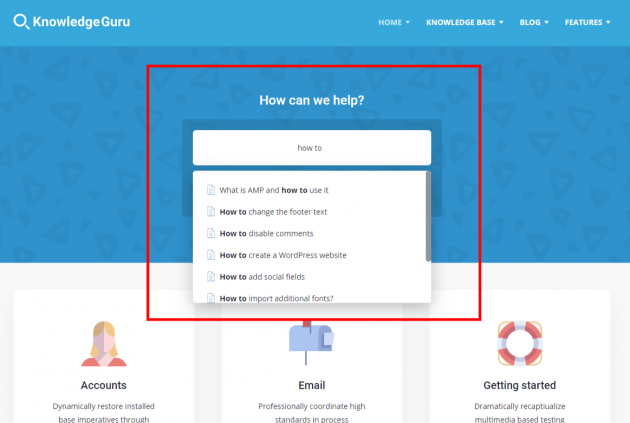
Quick Answers – WordPress Ajax Search is a plugin that extends WordPress search functionality by adding live search to WordPress search form and by tracking failed searches on your website.

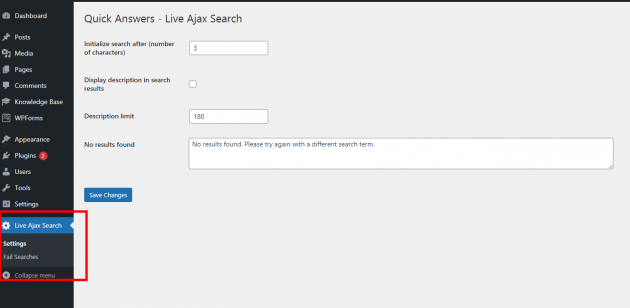
To access Live search functionality you need to Install and Activate Quick Answers – WordPress Ajax Search plugin in your plugins section of WordPress admin, then you need to go to Live Ajax Search -> Settings where you can find several options to tweak Live Search Results that are displayed on front-end of your website. Live search is automatically attached to every search form on your Knowledge Base Website.
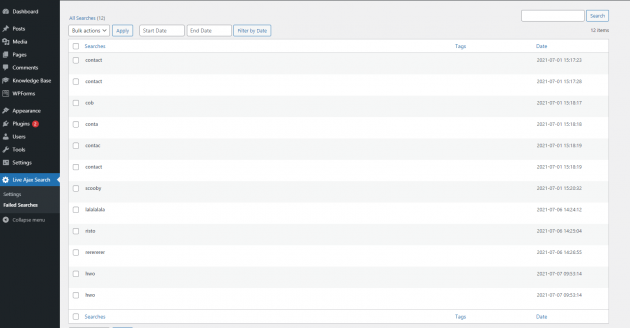
Failed searches are tracked in Live Ajax Search / Failed Searches where you can list and manage failed searches data.